
Club data
stickers.
Two small stickers unlock the full picture of what your club was doing at impact. Here's why they're worth using, and how to place them.
Ball flight data — Ball Speed, Carry, Side Total, Spin — comes through automatically. No stickers needed.
Stickers unlock club data: what your club was actually doing at impact, not just what happened to the ball after.
- Shots curving right? Club Path and Face Angle show why.
- Contact feels off? Impact Position shows exactly where you're catching the face.
- Working with an instructor? This is the data that confirms a change is actually happening.
Optional — worth using if you're troubleshooting a miss or just curious what's driving your ball flight.
See what every number means in the full Ball Data Glossary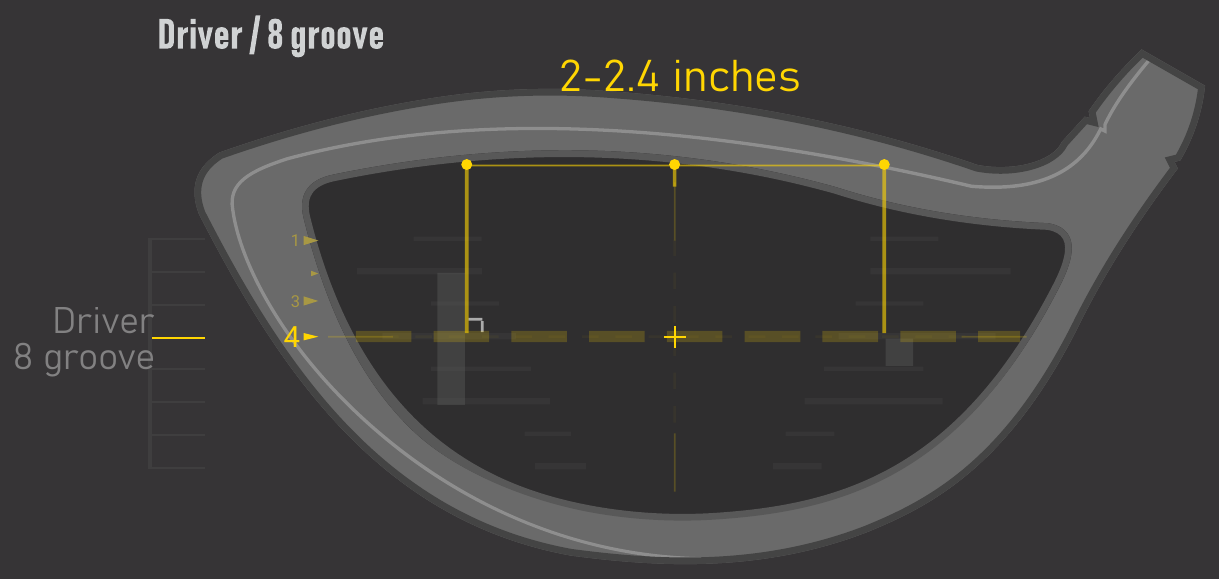
- The position closest to the horizontal center line should be used as a reference.
- The Dot sticker should line up to the middle of the Bar sticker.
- Avoid placing both stickers near the sweet spot.
- Attach to the flat surface of the face to avoid creasing or bending of the stickers.
- Attach in line with the grooves.
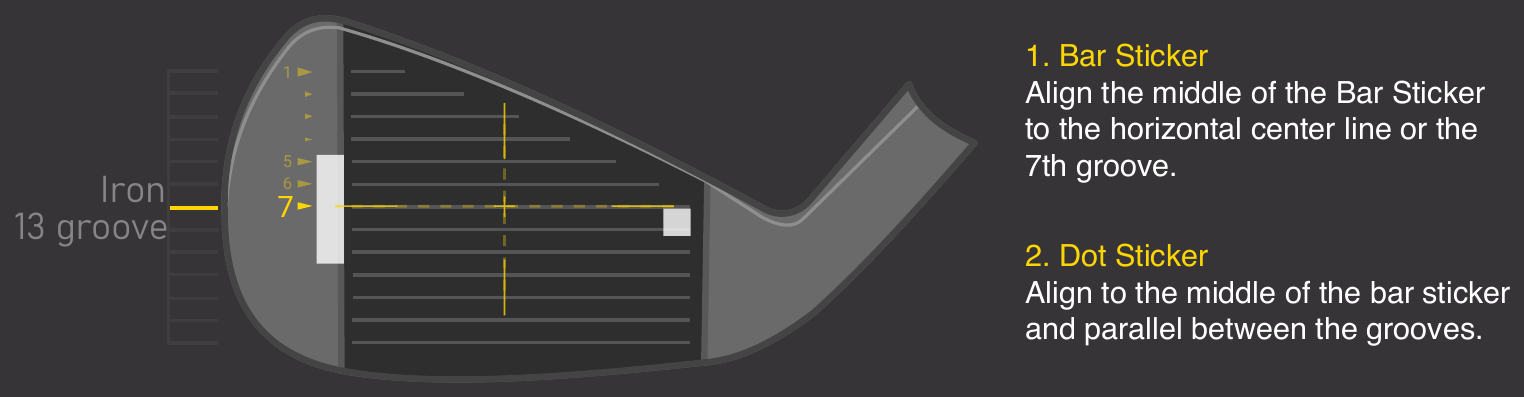
1. Bar Sticker
Align the middle of the Bar Sticker to the horizontal center line or the 7th groove.
2. Dot Sticker
Align to the middle of the bar sticker and parallel between the grooves.
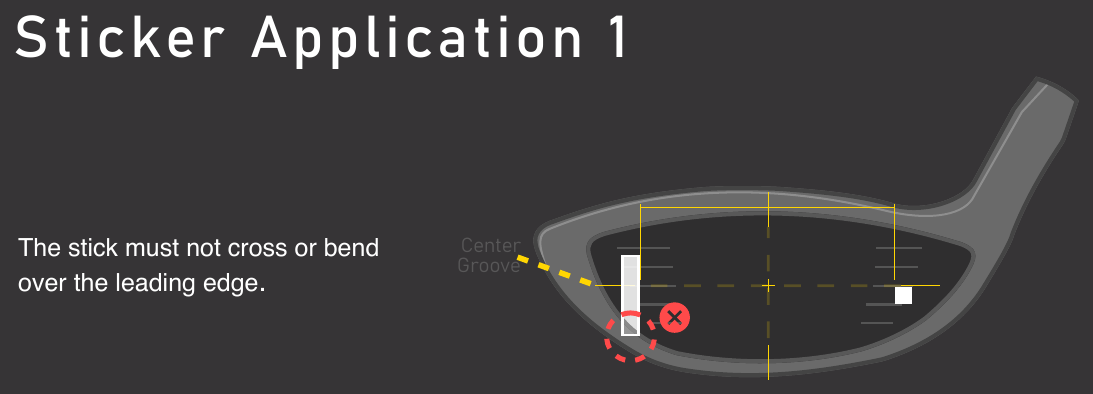
The stick must not cross or bend over the leading edge.
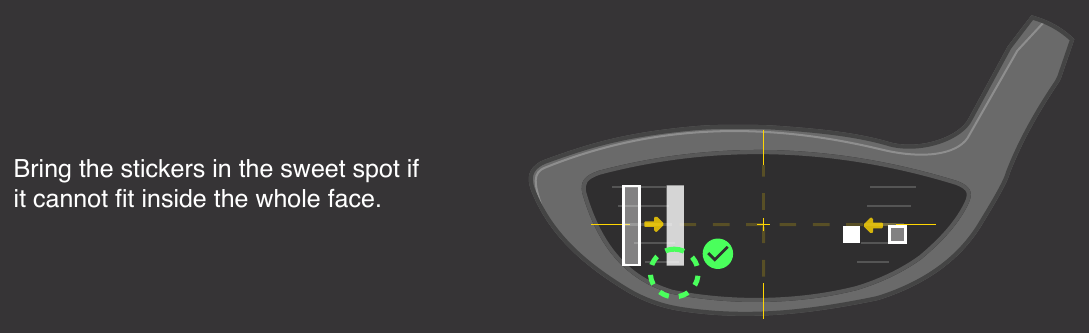
Bring the stickers in the sweet spot if it cannot fit inside the whole face.
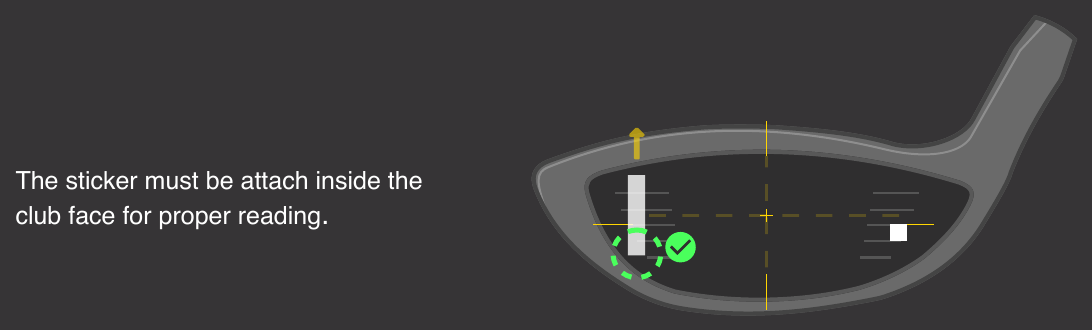
The sticker must be attach inside the club face for proper reading.
All 4 corners of the stickers must be attached to the club face. If the club face is short and all 4 corners of the bar sticker cannot fit on the club face down the horizontal line, you can move up the horiztonal line so all of the Bar Sticker can be placed inside he club face.
*In the case where you do have to raise the horizontal line beyond the center to fit all 4 corners of the Bar Sticker, the data will be calculated higher.